Know what changed. Know what needs attention. Run revenue with confidence.
RevOps Ledger turns recurring CRM workbook exports into a governed operating rhythm for pipeline, forecast, commissions, and executive reporting.
Revenue data is scattered. The operating picture pays for it.
Revenue data is usually scattered across exports, spreadsheets, dashboards, and manual checks. The result is stale pipeline, fragile forecasts, payout disputes, and hours spent rebuilding the same reports.
One workspace to clean the data, expose risk, track change over time, calculate operational outputs, and prepare leadership-ready reporting.
How it works
Start from the template
Download the workbook template and point your CRM's saved report at it — Salesforce, HubSpot and many more. Setup is a report configuration, not an integration project.
Upload the export
Rows are parsed, quarters align to your fiscal calendar, and the prior snapshot is kept — so the next refresh shows movement, not just the latest state.
Work the queue
Review what the refresh flagged, resolve the exceptions that matter, then prepare the update leadership asked for from the same data.
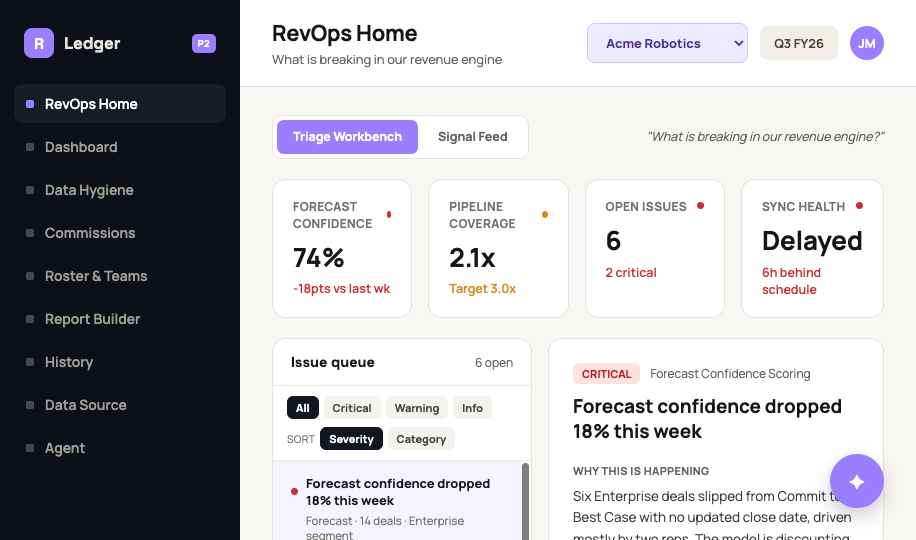
Start with what needs attention
Forecast confidence, pipeline coverage, open issues and source health sit together in one operating picture, with a prioritized queue underneath. Triage before the forecast call instead of hunting across reports.
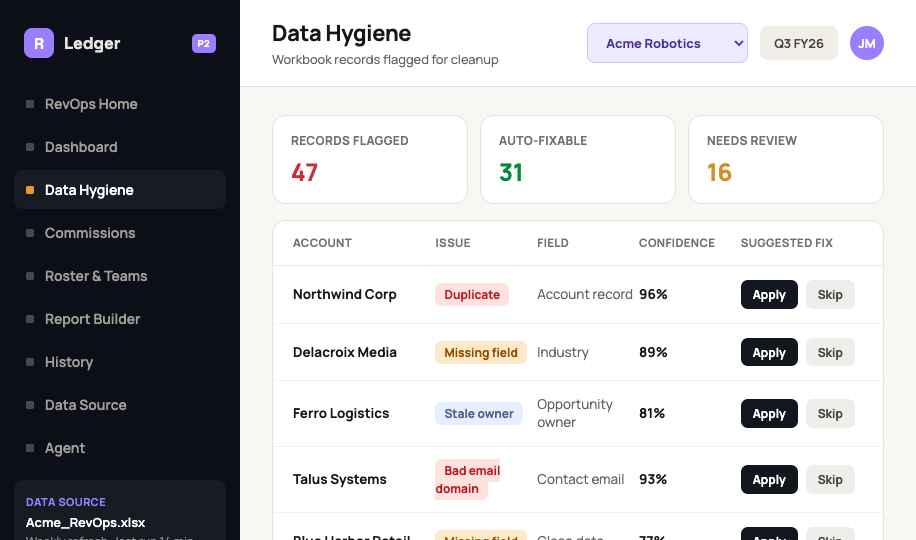
Find bad data before it becomes a bad forecast
Stale dates, duplicates, missing fields and off-roster ownership are surfaced as confidence-scored recommendations you can apply or review, with a clear decision trail behind each one.
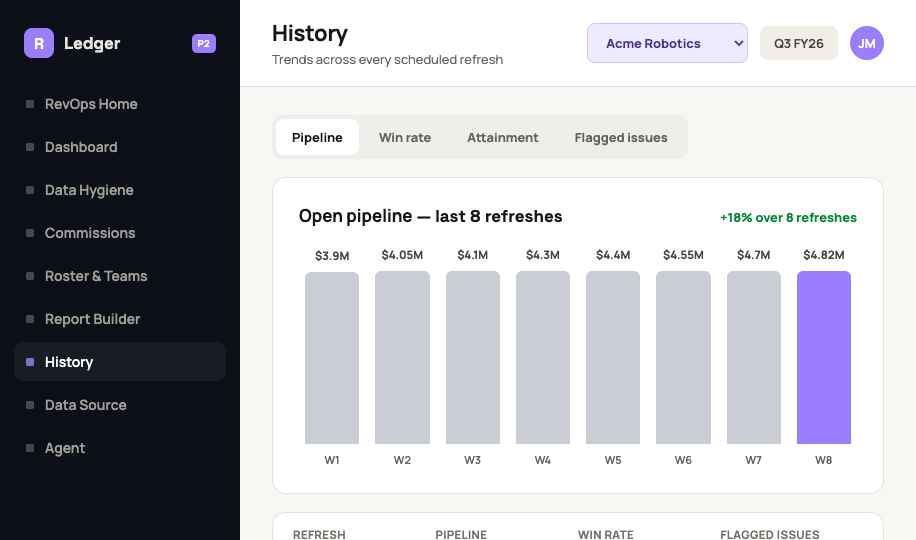
See how pipeline moved, not just where it is
Most exports show only the present. Snapshots are preserved at every refresh, so close-date pushes, amount changes and trend direction stay visible — tied to stable opportunity IDs.
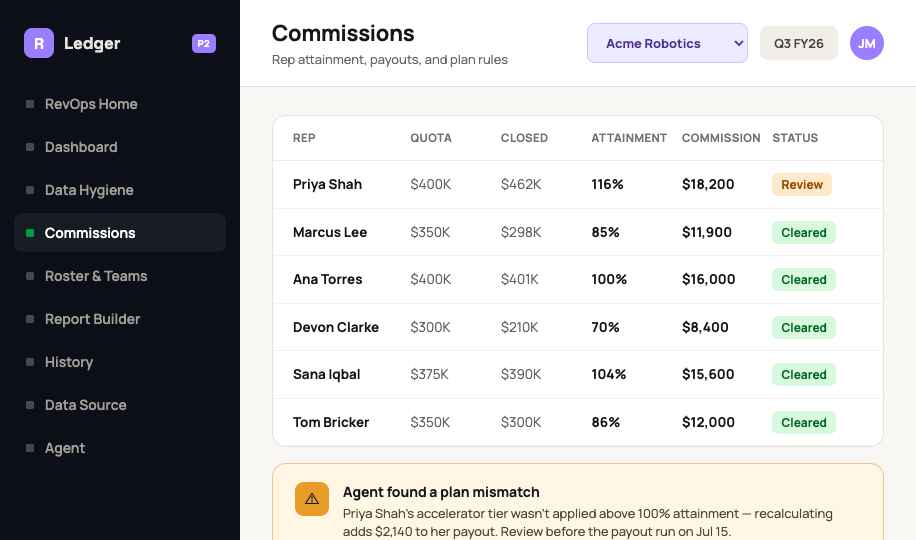
Catch plan mismatches before payout
Quota, attainment, plan assignment and payout timing share the same company context, so exceptions surface before payroll rather than turning into disputes afterwards.
From operating data to a leadership update
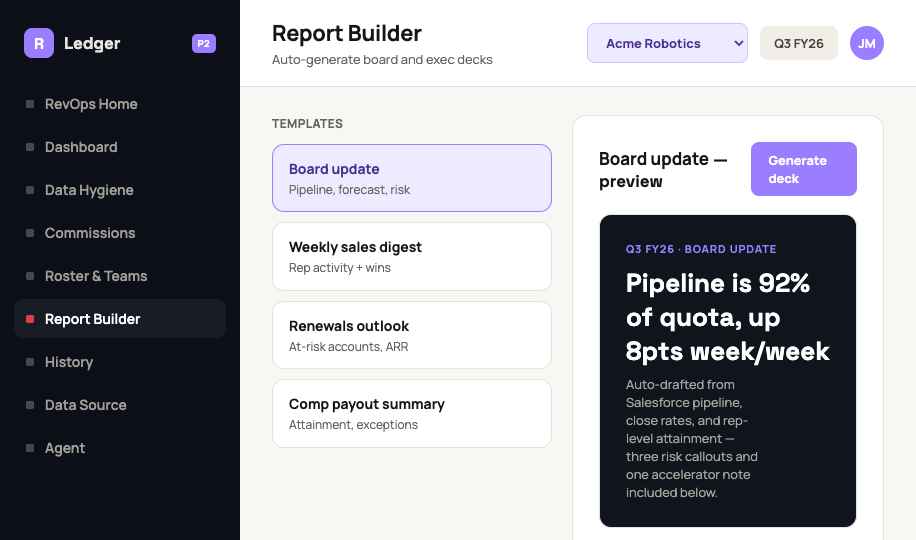
Board updates, weekly digests, renewals outlooks and comp summaries are prepared as editable prompts and previews, grounded in the current numbers.
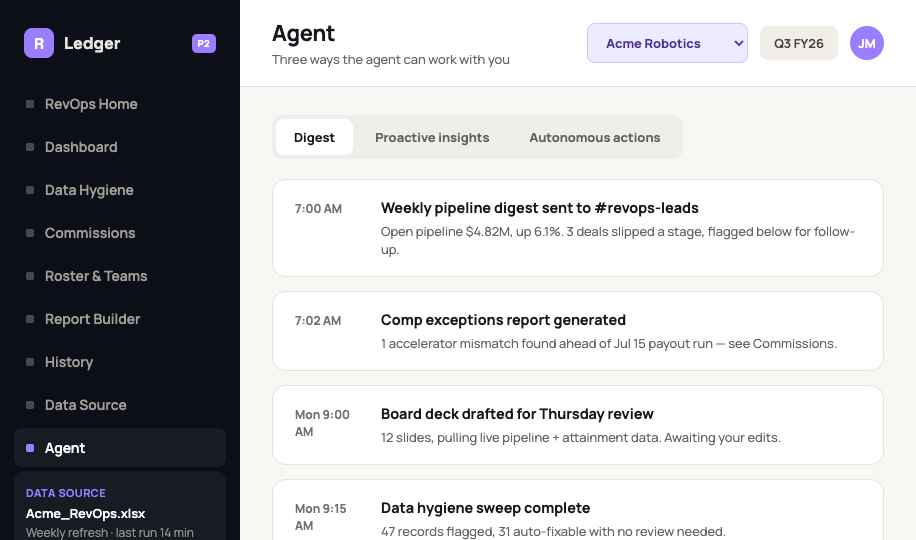
An operating partner, grounded in your data
A weekly digest, proactive insights and recommended actions — answers drawn from the workspace your team already reviews, not a generic chatbot.
Start with the workbook you already use
Upload the export your team already produces, map fiscal timing to the business, and refresh on a repeatable cadence. Operating discipline goes in before any integration project — no heavy implementation to approve first.
A template that matches your CRM
The workbook template maps to the fields your CRM already exports — Salesforce, HubSpot and many more — so setup is a saved report, not a project.
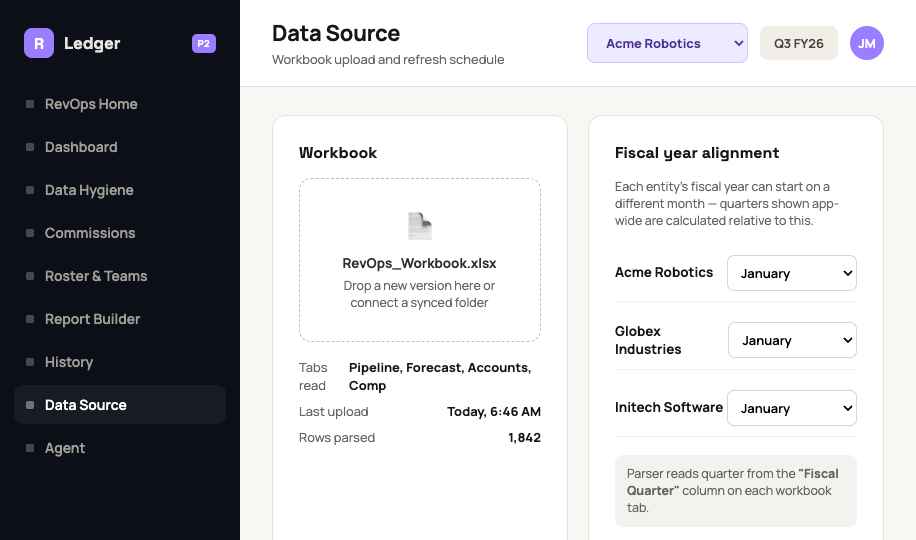
Your fiscal calendar
Each entity's fiscal year can start on a different month, and quarters across the workspace are calculated relative to it.
Validated on upload
Tabs are read and rows parsed with a count you can check, so a bad export is caught at the door rather than in the forecast.
Built to pass a security review
The workspace sits beside your systems rather than inside them, and access to it is governed. A fuller security overview is available on request.
Read-only by design
No connection into the system of record and no data written back. The workbook export is the only thing that moves.
Role-based access
Roles and permissions are set per workspace, so people see the entities and figures their job requires.
MFA on privileged access
Administrative and privileged accounts require multi-factor authentication.
Audit history
Uploads, decisions and changes are recorded, so a figure can be traced back to who acted and when.
Approval controls
Sensitive changes can be routed for review before they take effect rather than applied silently.
Read-only support access
When support needs to look at your workspace, it looks — it does not change anything.
What makes it different
Workbook-first adoption
Useful before the company commits to a large integration project.
Stable-ID tracking
Opportunity changes are observed across uploads rather than losing the prior state.
Actionable hygiene
Problems are categorized and prioritized, not buried in a generic quality score.
Connected workflows
Pipeline, roster, commissions, reporting and history share the same company context.
Fiscal flexibility
Views align to fiscal quarters, fiscal years and months, per entity.
Lean-team leverage
Repeat spreadsheet reconciliation is replaced by reusable controls, signals and reporting workflows.
About
RevOps teams are being asked to manage more with less.
Revenue Operations teams are often understaffed while the metrics, priorities, and conditions around the business continue to change. Too much time is spent gathering data, rebuilding reports, and reacting to outputs. That leaves too little capacity to understand what is changing, measure what matters, and act early enough to influence the outcome.
RevOps Ledger was built to solve that problem.
Our mission is to help lean RevOps teams monitor, adjust, and execute with greater agility. The platform brings forecasting, pipeline management and history, commissions, and rep ramp into one operating system powered by your existing CRM reports.
By connecting the metrics that matter across representatives, managers, and business leaders, RevOps Ledger helps teams manage high-value operational work without adding more manual overhead.
Simple pricing for lean RevOps teams
RevOps Ledger is currently accepting a limited number of beta and founding customers. Early customers receive hands-on onboarding, direct access to the product team, and the opportunity to help shape the platform as it grows.
Private Beta
Free during the beta period
Try RevOps Ledger with your team and help us build a better operating system for Revenue Operations.
Beta access includes:
- One company workspace
- Up to 15 users
- Forecasting and pipeline visibility
- Historical pipeline snapshots
- Commission tracking
- Rep ramp management
- CRM report uploads
- Standard dashboards and exports
- Guided onboarding
- Direct access to provide product feedback
In exchange, beta customers agree to:
- Participate in structured feedback sessions
- Report bugs, calculation issues, and workflow gaps
- Share feedback on usability and business value
- Allow us to request an honest testimonial or anonymized case study based on their experience
Testimonials are never required to be positive. Any published testimonial will be reviewed and approved by the customer before use.
Limited beta spaces are available.
Apply for Beta AccessFounding Customer
$199 per workspace per month
Built for lean RevOps teams that need to manage critical revenue workflows without adding another complex enterprise platform.
The Founding Customer plan includes:
- One company workspace
- Up to 15 users
- Forecasting
- Pipeline management and historical snapshots
- Standard commission calculations
- Rep ramp and quota visibility
- CRM report uploads
- Standard dashboards and exports
- Product updates
- Email support with a two-business-day response target
One-time onboarding: $500
Onboarding includes initial workspace configuration, CRM report mapping, fiscal calendar setup, roster and quota configuration, one standard commission-plan configuration, and a guided onboarding session.
Additional data migration, custom commission plans, dashboards, integrations, or consulting services may be scoped and priced separately.
Exclusive Beta Customer Offer
Beta customers who want to continue using RevOps Ledger after the free trial may qualify for an exclusive founding rate:
$149 per month for 24 months
- Rate locked for the full two-year commitment
- One company workspace
- Up to 15 users
- Founding Customer features included
- Standard onboarding fee waived
- Continued opportunities to influence the product roadmap
The discounted rate requires a 24-month service commitment. Eligibility and final terms will be confirmed before the beta period ends.
Built to grow thoughtfully
RevOps Ledger is an early-stage platform with a focused mission: helping lean RevOps teams monitor, adjust, and execute with greater agility.
We are intentionally limiting early access so that every customer receives thoughtful onboarding and responsive support. Features will continue to evolve based on customer needs, but custom development, guaranteed uptime, and formal enterprise service-level agreements are not included in these plans.
Forecasts, commission calculations, and other outputs should be reviewed and validated before being used for payroll, compensation, accounting, financial reporting, or other critical business decisions.
Turn your weekly CRM export into an operating system for revenue.
Start with the workbook you already have. No integration project, no new analytics stack to maintain. Beta workspaces are approved one at a time; questions first? Email chelsea.kennamore@tbkenterpriseconsulting.com.